
Software, AI & Learning · Review

Doodle has become almost the same as “send a quick poll to find a time to meet.” That reputation was well-deserved for a long time. It was a quick way for organisers to find out who was available, see conflicts, and reserve a spot. People didn't have to make accounts or learn how to use complicated tools.
That older picture and how the product feels to many users now are very different. The gap is biggest for the ad-supported free plan and for more demanding team use cases.
Three themes keep coming up in expert reviews and on big review sites. First of all, Doodle is still very easy to use and offers good value. People who have reviewed it say it is “easy, simple, and very useful.” They highlight how easy it is to set up. They also like how well it works with Google Calendar, Outlook, and other popular conferencing tools.
Second, the product has stayed “lightweight” on purpose. There is no built-in way to make payments. The logic for scheduling teams isn't as good as it is in many other specialised competitors. There aren't many options for customising. For complicated workflows, controls like notifications and time zones may not be enough.
Third, a lot of users can see that the business model has changed. There are now ads on the free plan. Some features are now only available to paying customers. People often complain about changes to the UI. Recent Trustpilot reviews say that the free experience is often slow, cluttered, and sometimes “unusable” because of ads and confusing flows.
The goal of this review is to make that reality clear for a wide range of readers. That includes people who work alone and only need reliable group polls. It also includes small teams that might want to upgrade later. It includes big companies that want to know if Doodle can do more of their scheduling work.
The goal is not to give Doodle a general thumbs up or thumbs down. Instead, the focus is on what long-term users, expert testers, and data from the platform itself say about daily use. That covers how quickly you can get value, where friction starts to show as your needs grow, and what trade-offs you make if you stay on the free tier instead of paying for Pro or Team.
How PCMag, The CX Lead, Research.com, and Maplemetric rate Doodle's main features: how quickly you can set up polls and booking pages, how well it handles time zones, and how much value for money it offers, including the pros and cons that those authors list.
A summary of what thousands of business users think about Doodle, including how easy it is to use, how it sends notifications, how it looks, the limits of the free plan, and how well it works for teams. It also includes the actual scores (4.4–4.6/5, 8.2/10, renewal and recommendation rates) that people gave it.
Recent reviews on Trustpilot show problems that you won't see on the marketing site, like pages that are too full of ads, confusing cancellation flows, and a perceived “decline” in the product. There are also a few very positive comments about booking pages and time saved.
There is a separate section for each major source (PCMag, The CX Lead, Research.com, Maplemetric, Capterra, G2, SoftwareReviews, Trustpilot) that lists their main pros, main cons, and overall verdict. This way, you can see where they agree and where they disagree instead of just reading random snippets.
A final, synthesis verdict that separates low-stakes, poll-first use cases (where Doodle still works very well) from situations where its limitations and monetisation choices become a problem, along with clear advice on when alternatives like Calendly, Cal.com, or YouCanBookMe are likely to be better for you.
Doodle is a free online tool for scheduling meetings that says it wants to be the fastest and easiest way to set up meetings and work together. It shows scale metrics like 30 million monthly users, 78,000 meetings scheduled every day, and more than 70,000 businesses around the world that use Doodle.
Doodle says that its work is based on four core values: Collaboration, Diversity, Enthusiasm, and Excellence. These values are meant to “set up time for great things” for both customers and teams. It is also part of the TX Group, a network of media and platforms that gives information, entertainment, and services to more than 80% of the people in Switzerland.
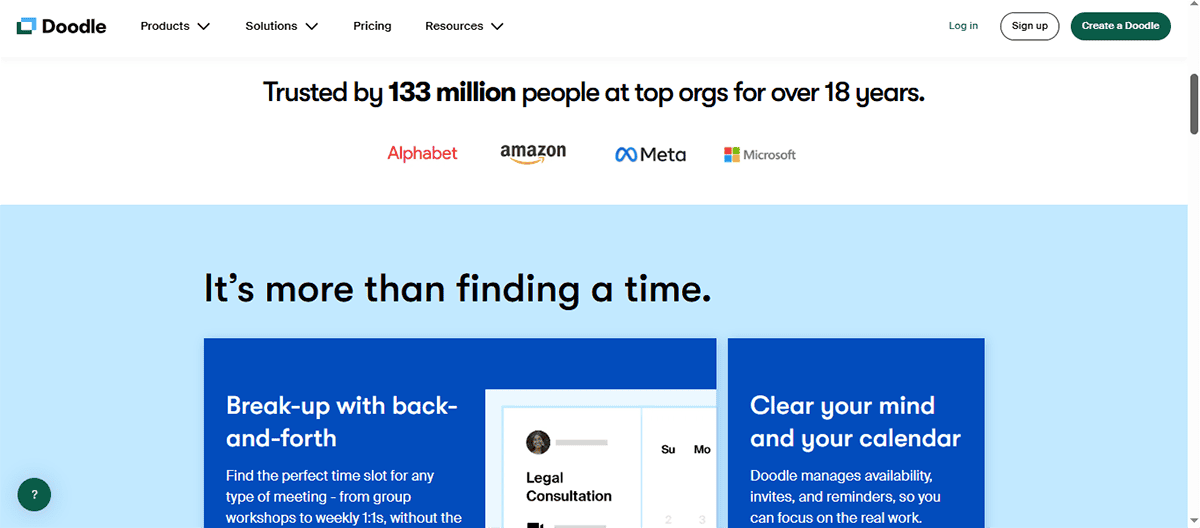
Discover firsthand opinions about Doodle. Is it a hit or miss? We’ve aggregated user and pro reviewers feedback for you. below are the key takeaways:
"No-brainer way to pick a time to meet that works for everyone."
"Easy, simple, highly utilitarian."
"Can connect with your existing calendar."
"Handles time zone differences for global teams scheduling meetings."
"Integrates with calendars like Google Calendar and Outlook."
"User friendly interface that is easy to navigate."
"Has a free plan."
"Low learning curve."
"Web and mobile apps."
"Supports five languages."
"Extensive calendar and video conferencing integrations."
"Easy-to-use interface suitable for users with different technical backgrounds."
"Integration with major calendars like Google Calendar, Outlook, and iCal for event synchronization."
"Ability for participants to suggest multiple meeting times for optimal scheduling."
"Automated reminders to reduce no-shows and increase attendance."
"Support for both individual and group meetings with customizable polls."
"Doodle is a great and easy way to capture availabilities of contacts quickly for an event. It syncs nicely with your chosen calender and shows your own availability prior to sending out."
"It is a great applicatoon for schedules, planning meetings and polls. It is good for decision making and very helpful to a business."
"Awards: “TOP RATED” in the Appointment Scheduling category for multiple years, including 2025 for “Conflict Resolution” and earlier years for capabilities and features."
"It's a simple platform for organizing meetings between different people with varying availability… It's an intuitive and accessible platform that can be connected from any device, making it quite simple and practical to use."
"Doodle stands out… due to its: Ease of use: Simple and intuitive interface… Wide calendar integration… Free version: Accessible to individuals and small teams."
"I love using Doodle to schedule meetings because it eliminates the hassle of back-and-forth messaging, making the process seamless and efficient. The feature that consolidates everyone's availability in one place significantly simplifies coordination."
"Doodle has made it much easier to ‘pollʼ what dates and times work best for meetings. It has saved us a lot of time and stress… There is no real implementation time, you can use it immediately."
"Even for users who don't have an account, I love how accessible Doodle is… we can see how many people are available at what times… Doodle has certainly made it a lot easier to plan ahead."
"I wish i could give Doodle 10 out of 10! Amazing!! They are the only people who could make a booking page and code for me, Thank you Doodle!!!"
"Very easy to use and so many features! Doodle was easy to use and get used to. I love that they offered many different scheduling tools."
"I love the Booking Page. Saves me hours per week!"
"Unclear time-zone options."
"Lacks some advanced options required for complex scheduling needs."
"Customer support response times can be slower than you'd like."
"Ads on the free plan."
"Canʼt accept payments on the platform."
"Lacks advanced team scheduling tools."
"Canʼt customize event reminders."
"No website embed code for booking page."
"Free plan restricts number of participants and polls, limiting use for larger groups."
"Interface lacks intuitive navigation, causing confusion for new users."
"Minimal customization options for poll question types and response formats."
"Calendar integrations occasionally suffer from sync delays or errors."
"Automatic time zone detection can be inaccurate for international scheduling."
"Mobile apps miss some features available on the web version."
"Many features are paid and there are many ads on the screen, which can make it a little bit difficult to create and read invitations."
"The original doodle app was much better, so simple, so manageable and so sweet because I could access all the features from my phone. But now I don't like the updated one because it's so slow and confusing."
"It has a somewhat basic design, seeming unattractive and unprofessional compared to similar tools… I also noticed that the notification system doesn't fit what we're looking for… It can be overwhelming, and it doesn't allow for some customizations."
"One thing I dislike about Doodle is that the free version can be restrictive for frequent use. A more flexible free plan would be really helpful!"
"I wish the reminders and notifications were more consistent and customizable."
"I find Doodle's scheduling process quite cumbersome and lacking in some features. It would be great if there was an easier way for users to schedule multiple events at the same time… It would also be helpful if administrators could quickly see who has not voted in their polls or send out reminder emails quickly."
"Calendar syncing, making schedule, or try to set availability” is mentioned as a dislike by another reviewer, indicating friction around configuration."
"Terrible App – Donʼt Waste Your Time… the most confusing and outdated learning app Iʼve ever used… Absolutely not worth it."
"Don't spend your money on a subscription… Useless! The menu is impossible to navigate."
"The free is ruined with bloatware and limitations."
"They have put so many adverts on the page that the page doesn't respond… They advertise it as free but the free version does not work."
"So confusing to cancel. Making it so confusing to cancel is just downright immoral."
"Utter garbage… my new poll was deleted… they have an AI chat bot that tells you it's your fault their software suck now. Avoid Doodle at all costs."
"Now unusable because of the ads."
"There are so many adds, you can't even understand where is the relevant data..."
"I've used Doodle for years, and my biggest complaint is that not enough other people use it. I'm all in favor of getting rid of needless email threads and online discussions about whether a particular time and date works for everyone you'd like to see or get on the phone. Doodle is an excellent productivity tool, and it's a PCMag Editors' Choice."
"In my opinion, Doodle is an impressive scheduling tool that excels in ease of use and value for money. It stands out with its intuitive interface and efficient calendar integration, making it a reliable choice for small teams and remote workers coordinating meetings across time zones.
While its core features are solid, I find the standout features slightly less innovative compared to some competitors. The onboarding process is straightforward, but the customer support could be more responsive. If you're looking for a tool that simplifies scheduling meetings without breaking the bank, Doodle is worth considering, especially for departments like sales and customer support. According to user reviews, Doodle offers excellent functionality for scheduling needs."
"Doodle is the perfect fit if you’re looking for a basic scheduling tool to book one-on-one meetings, coordinate a suitable time for group meetings, and organize event sign-ups.
However, if you’re looking to host your team on the platform and access features like collective events with multiple hosts, round robin events for cycling through hosts, and team booking insights, you have to look elsewhere—I’ll recommend you consider Calendly or Cal.com for this.
So in summary, use Doodle if:
"In my experience evaluating scheduling tools, I find that Doodle stands out as one of the best online scheduling tool for teams due to its simplicity and efficiency. It eliminates the usual hassle of coordinating meeting times by allowing participants to select from multiple proposed options, which really speeds up the process. This polling approach is particularly useful when dealing with teams spread across different time zones or with conflicting calendars, reducing the back-and-forth emails that typically slow down scheduling.
Overall, my review of Doodle meeting planner features review confirms it excels at simplifying coordination, making it a practical choice for teams aiming to improve scheduling efficiency without unnecessary complexity."
"Overall Rating: 4.6 out of 5; Total Reviews: 1,834
People who use Capterra say that Doodle is a tool that "just works" for a lot of everyday scheduling. A lot of reviewers say they use it for both personal and work events. They also like how it "syncs nicely with your chosen calendar" and makes it "easy to coordinate meetings with team members or groups of people." People keep bringing up how easy it is to use and how easy it is to set up. This matches the platform's sub-scores of 4.6 for ease of use and 4.4 for customer service.
The written reviews show both excitement and fatigue with the changes that have happened recently, even though the average is high.
Big fans: People say that Doodle is "a great and easy way to quickly find out when contacts are available" and "a life saver when it comes to scheduling a meeting." They say it saves them time and helps them stay organised for work and school. Some reviewers just say things like "user-friendly," "awesome software," or "great for planning, meeting, and schedules."
Growing frustrations: Some say, "There are a lot of ads on the screen and many features are paid for, which can make it hard to make and read invitations." One long-time user says, "The original doodle app was much better... I don't like the new one now because it's so slow and hard to understand. This shows that most users are happy, but changes to the free tier and UI are making a small number of people unhappy.
"Overall Rating : 8.2 out of 10; CX Score: 8.3 out of 10; Reviews: 49
The scorecard from SoftwareReviews is very positive. Doodle has an 88% "Likeliness to Recommend," a 95% "Plan to Renew," and a huge +90 Net Emotional Footprint, which means that almost all of the recorded sentiment is positive instead of neutral or negative. It has also won several "Top Rated" awards in Appointment Scheduling for its features, capabilities, and ability to resolve conflicts.
Customer feedback tells you why these numbers are so high and also where the problems are."
"Overall Rating: 4.4 out of 5; Total Reviews: 2,066
Doodle is marketed on G2 as "the easiest way to bring people together without the endless email threads," and the numbers back that up. Most reviewers give it 4 or 5 stars, and many of them talk about how it gets rid of back-and-forth messages, makes availability easier to find, and works well even for people who don't make an account.
The story that comes out is very clear: people use Doodle when they need to quickly agree on times, but some people run into problems when they try to do more."
"TrustScore: 1.5 out of 5 (“Bad”); Total Reviews: 195
Doodle holds a rating label explicitly marked as “Bad.” The star breakdown is highly skewed: 93% of reviewers give 1 star, 3% give 2 stars, 1% give 4 stars, 3% give 5 stars, and 0% give 3 stars.
This distribution means almost all Trustpilot users in this sample are strongly dissatisfied, with only a very small minority offering positive ratings. In contrast to the largely positive scores on Capterra, G2, and SoftwareReviews, Trustpilot stands out as a concentrated signal of serious dissatisfaction among users who chose to leave a public, consumer‑facing review."
"Experts from PCMag, The CX Lead, Research.com, and B2B review sites like G2, SoftwareReviews, and Capterra all agree that Doodle is great at one thing: quickly finding a time that works for a lot of people, with little hassle for invitees and strong calendar integrations.
But the product's move towards a more limited, ad-heavy free tier, along with the lack of "modern" scheduling features (native payments, richer team workflows, deeper customisation), and a lot of bad reviews on Trustpilot about ads, UX, and cancellations mean that it is no longer a clear no-brainer for everyone.
Doodle is still a great choice for individuals, small groups, and businesses that have trouble "finding a time that works for a group" and don't mind ads or limited automation. It has high ratings on G2, Capterra, and SoftwareReviews.
For bigger teams, use cases that are sensitive to brands, or those that need advanced routing, payments, and a clean, free experience, the data shows that alternatives like Calendly, Cal.com, or YouCanBookMe will work better in the long run. Doodle is best used as a simple, reliable poll-based scheduler instead of a full scheduling platform."




Doodle is a web-based scheduling platform designed to simplify organizing meetings, events, and polls for individuals and groups. Its core features include:
Group Polls: Propose multiple time slots; participants vote on their availability. The most popular slot is selected for the meeting.
1:1 Meetings: Offer several time options to a single invitee, who picks their preferred slot—automatically booked and removed from availability.
Booking Pages: Set your general availability so others can book meetings directly within those windows.
Sign-up Sheets: Create multiple sessions (e.g., workshops, office hours) and let participants sign up for specific slots.
Calendar Integrations: Sync with Google, Outlook, and Apple calendars to check real-time availability and prevent double-booking.
Video Conferencing Integrations: Automatically add Zoom, Google Meet, Microsoft Teams, or Webex links to calendar invites.
Time Zone Handling: Automatically detects and displays meeting times in each participant’s local time zone.
Reminders & Confirmations: Sends automatic reminders and calendar invites to reduce no-shows and keep everyone informed.
The typical workflow: create a poll or meeting, propose times, invite participants, collect responses, and confirm the best slot; Doodle handles notifications and calendar invites automatically.
Doodle’s Free plan offers basic scheduling with significant limitations: users are restricted to one booking page, must view advertisements, cannot create 1:1 meetings, and have only basic support. This tier is best for individuals with simple scheduling needs.
The Pro plan ($6.95/month) removes ads and unlocks unlimited booking pages and 1:1 meeting capabilities. It also introduces video conferencing integrations, custom branding, and priority support, making it suitable for professionals and small businesses seeking more robust scheduling and a branded experience.
The Team plan ($8.95/month per user) includes all Pro features and adds administrative controls, team management tools, and chat support. Designed for organizations with 2–100 users, it enables collaborative scheduling with oversight and streamlined team coordination.
The Enterprise plan is tailored for large organizations, offering custom pricing, advanced security, dedicated customer support, personalized onboarding, and custom integrations. This tier is ideal for enterprises requiring specialized solutions and enhanced security.
Doodle integrates with:
Calendars: Google Calendar, Microsoft Outlook 365, and Apple iCloud Calendar. Syncs events, checks real-time availability, and prevents double-booking.
Video Conferencing: Zoom (all plans), Google Meet, Microsoft Teams, Webex (paid plans). Automatically adds meeting links to invites.
Business Apps (via Zapier): Connects with 1,500+ apps including Salesforce, Slack, Mailchimp, Trello, Zendesk, Google Sheets, Stripe, and more for workflow automation.
Integration Setup: Managed via Doodle’s account settings. Most advanced integrations require a paid plan, except Zoom, which is available on free plans.
Doodle is known for its intuitive, beginner-friendly interface and minimal learning curve:
Account Setup: Quick sign-up via email or SSO (Google, Microsoft, Apple, Facebook); email verification required.
User Experience: Clean dashboard, guided poll/meeting creation, drag-and-drop or click-to-select time slots.
Onboarding: Step-by-step guides, video tutorials, webinars, and a comprehensive Help Center.
Mobile Access: Fully functional mobile app and mobile-optimized web experience.
Team Features: Admin controls, shared calendars, branding, and onboarding support for teams and enterprises.
Most users can create and share their first poll or booking within minutes, and advanced features are accessible with clear instructions.
Doodle does not natively support automatic recurring meetings or polls. However:
Workarounds:
Use Doodle to find the best time, then set up the recurring event in your connected calendar (Google, Outlook, iCloud).
The Sign-up Sheet feature allows you to manually add multiple sessions (e.g., for workshops or office hours), but each session must be entered individually.
Limitations:
No automation for recurring polls or meetings.
No multi-date selection in Group Polls; only one date/time can be finalized per poll.
Free users are limited to 20 sessions per sign-up sheet.
For true recurring meeting automation, you must rely on your calendar app or third-party tools.
Doodle is ideal for:
Individuals & Freelancers: Simple scheduling, client appointments, and one-on-one meetings.
Small Teams: Internal collaboration, shared calendars, and streamlined group scheduling.
Enterprises: Advanced security, admin controls, custom branding, and dedicated support for large organizations.
Specific Roles: Executive assistants, HR, recruiters, sales teams, educators, and project managers.
Common Use Cases:
Group meetings and polls
1:1 scheduling (interviews, client calls)
Booking pages for appointments
Workshops, webinars, and sign-up events
Academic scheduling (faculty, student meetings)
Cross-timezone and external stakeholder coordination
Industries: Technology, professional services, healthcare, education, non-profits, government, and sales/marketing. Case studies show significant time savings and improved efficiency for organizations of all sizes.
Doodle offers several support options:
Help Center: 160+ articles covering setup, troubleshooting, and best practices.
AI Assistant: Available in the Help Center for instant answers.
Email Support: Submit a request via an online form; responses are sent by email.
Support Levels:
Free Users: Access to Help Center and email support; no guaranteed response time.
Pro/Team: Priority support (critical issues responded to within 24 hours).
Enterprise: Dedicated support contact, guaranteed response times (as fast as 6 hours for critical issues), and onboarding assistance.
No Phone or Standard Live Chat: Some users may see a chat bubble, but this is not standard for all plans.